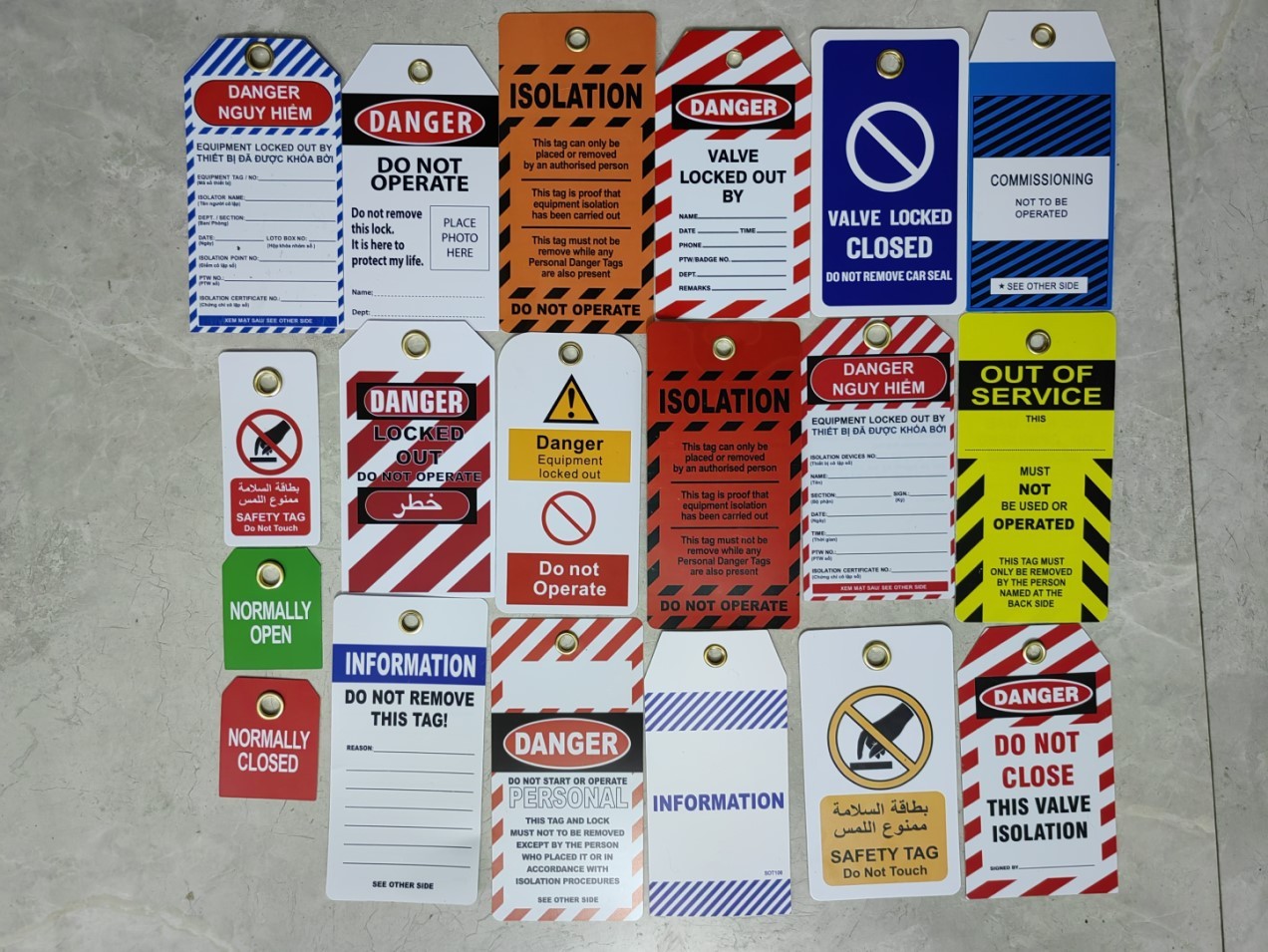
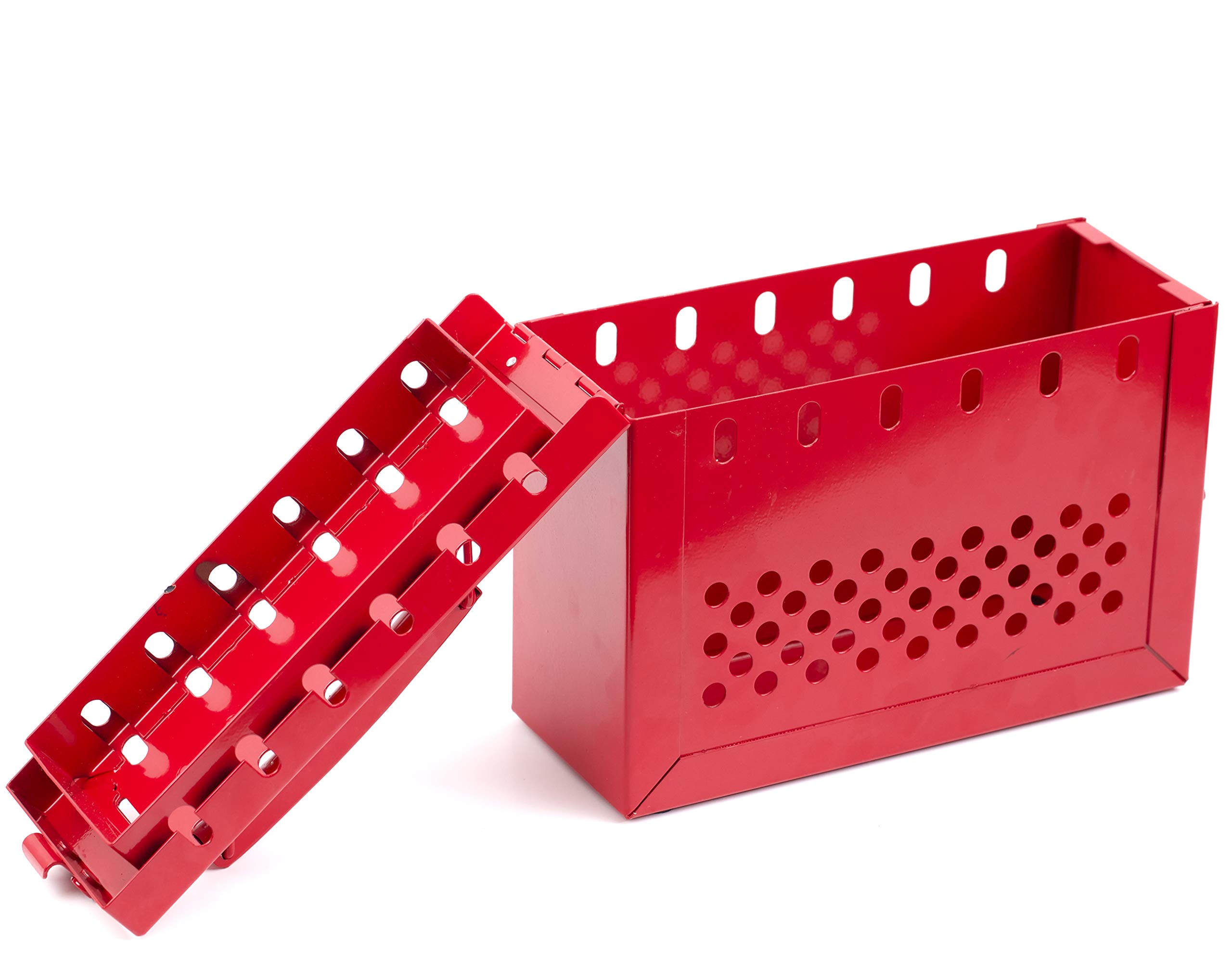
A lockout tagout (LOTO) tag is more than a piece of plastic hanging from a valve or breaker—it’s the final line of defense against accidental equipment startup during maintenance. Yet, too many facilities still rely on handwritten scraps, mislabeled tags, or outdated templates missing critical fields. When a maintenance technician sees a tag with blank spaces for “Authorized Employee” or “Date/Time,” they’re not just confused—they’re at risk.
A proper lockout tagout tag template isn’t about looks. It’s about precision, clarity, and legal compliance. The right template includes non-negotiable elements: employee name, department, reason for lockout, equipment ID, and time of application. Without these, even the best safety program cracks under real-world pressure.
This guide delivers a practical, OSHA-aligned lockout tagout tag template you can adapt today—plus insights on avoiding common missteps and integrating tags into a functioning energy control program.
What a Lockout Tagout Tag Template Must Include
A compliant LOTO tag isn’t decorative. OSHA 29 CFR 1910.147 requires that tags include specific information to warn and protect workers. A strong template doesn’t leave room for ambiguity. Here’s what must be present:
Mandatory Elements: - Name of Authorized Employee – Who applied the lock? This creates individual accountability. - Department or Work Group – Identifies team affiliation for coordination. - Date and Time of Application – Helps track duration and ensures timely removal. - Reason for Lockout – “Electrical repair,” “Mechanical servicing,” etc. Vague entries like “fixing” are useless. - Equipment Identification – Exact name, ID number, or serial number. “Conveyor Line 3” beats “that machine.” - Warning Statement – Standard phrase: “Do Not Operate,” “Do Not Remove,” or “Danger – Do Not Start.”
Missing any of these fields compromises safety and invites regulatory scrutiny. For example, a 2022 OSHA citation against a Midwest manufacturing plant cited inconsistent tag use—specifically, tags lacking time stamps and equipment IDs—as a root cause of a near-miss incident.
Free Lockout Tagout Tag Template (Printable & Editable)
Below is a clean, customizable lockout tagout tag template designed for real-world use. It fits standard tag sizes (4” x 6.5”) and can be printed on durable vinyl or laminated paper.
──────────────────────────────────── LOCKOUT TAGOUT TAG DO NOT OPERATE – DANGER ──────────────────────────────────── AUTHORIZED EMPLOYEE: ______________ DEPARTMENT: _______________________ EQUIPMENT ID: ______________________ DESCRIPTION: ______________________ REASON FOR LOCKOUT: _______________ APPLIED ON: ___/___/___ AT: _____ EXPECTED RELEASE: ___/___/___ REMOVAL AUTHORIZED BY: _____________ NOTES: ____________________________ ────────────────────────────────────
Pro tip: Store blank templates digitally (PDF or Word) so supervisors can fill them electronically before printing, reducing handwriting errors.
Use this as-is or modify it to include site-specific details—like shift number, work order ID, or a QR code linking to the full LOTO procedure.
Common Mistakes That Undermine Even the Best Tag Templates
A perfect template fails when used poorly. These mistakes are more common than you think:
1. Using Tags Without Locks Tags alone do not isolate energy. OSHA requires a physical lock in addition to the tag. A tag on an unsecured breaker is a liability, not protection.

2. Handwritten Illegibility “John from Maintenance” scribbled in haste could be “Jon,” “Jim,” or “Joe.” Use pre-printed fields or digital fill-ins to ensure clarity.
3. Blank or Incomplete Fields Leaving “Time Applied” blank defeats the purpose of tracking exposure. Train teams to treat every field as mandatory.
4. Reusing Tags Tags are single-use. Reusing one sends mixed signals—was the lockout reapplied, or was it never cleared?
5. No Removal Protocol Tags without a removal verification step create gaps. The template should prompt a sign-off from the same person who applied it, unless covered under a group lockout procedure.
Fix these by pairing your template with clear training and routine audits.
How to Customize Your LOTO Tag Template for Different Industries
One-size-fits-all rarely works. Adapt your lockout tagout tag template to match your operational environment.
Manufacturing Include space for work order number and line supervisor approval. High-volume plants need traceability across shifts.
Facilities & Maintenance Add contractor ID field if outside workers perform lockouts. Also consider bilingual text (e.g., English/Spanish) for broader comprehension.
Chemical or Energy Plants Include hazard type (e.g., “High Pressure Steam,” “Flammable Liquid”) and PPE Required. These sites often manage multiple energy types simultaneously.
Healthcare (Medical Equipment) Use smaller tags with device model number and department (e.g., Radiology, Biomed). Compliance is critical around MRI and imaging machines.
Customization improves usability—and compliance. A hospital in Colorado reduced tag errors by 68% after adding a “Model No.” field specific to medical devices.
Top 5 Lockout Tagout Tag Solutions (Templates & Tools)
While a simple PDF works, some teams benefit from digital or enhanced physical systems. Here are five practical tools:
| Solution | Type | Key Features | Best For |
|---|---|---|---|
| Creative Safety Supply Tag Templates | Printable PDFs | Pre-formatted, ANSI-compliant, multilingual options | Quick setup, small teams |
| Seton Free LOTO Generator | Online Tool | Build and print custom tags with logos and barcodes | Facilities wanting branded tags |
| BradyLockout Suite | Software + Tags | Digital lockout tracking, mobile check-in, audit trails | Large or multi-site operations |
| Zoro Industrial Tag Kits | Pre-printed Tags | Durable, weather-resistant, bulk packs | Outdoor or harsh environments |
| LockoutTagout.com Template Library | Downloadable Forms | Industry-specific templates (HVAC, electrical, etc.) | Specialized maintenance teams |
Workflow tip: Pair digital tools like Brady or Seton with your CMMS (Computerized Maintenance Management System) to auto-populate work order data into tags.
For most small to mid-sized operations, a free downloadable template from Seton or LockoutTagout.com strikes the right balance between compliance and practicality.
Integrating Your Tag Template Into a Full LOTO Program
A tag is just one piece of a larger energy control system. To be effective, your template must exist within a documented process.
Step-by-Step Integration:
- Develop Equipment-Specific Procedures – Each machine should have a written LOTO procedure.
- Train Authorized Employees – Only trained staff can apply locks and tags.
- Conduct Periodic Inspections – OSHA requires annual audits of LOTO practices.
- Use the Template Consistently – Enforce its use across all departments.
- Review and Update Annually – Adjust templates if equipment or roles change.
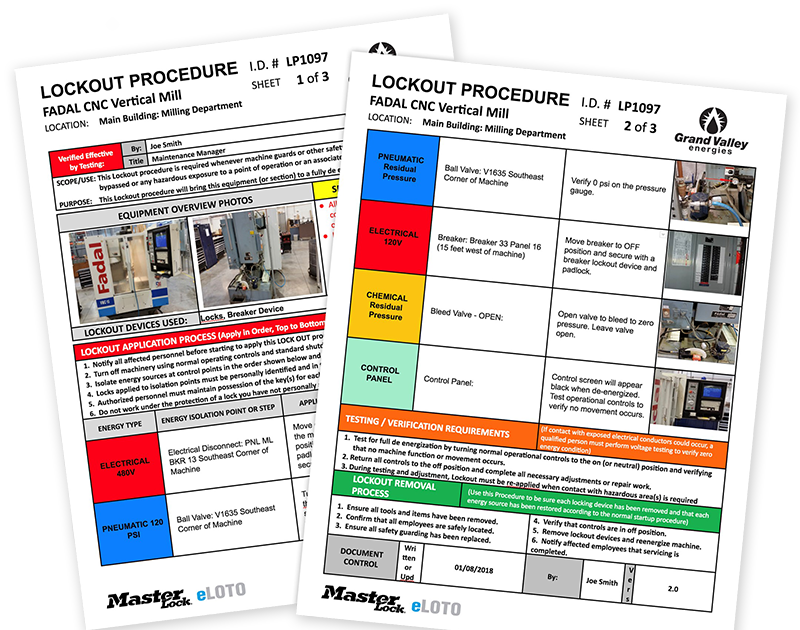
Example: A food processing plant in Oregon standardized its tag template across three facilities. By aligning the format with their central LOTO procedure manual, they cut unauthorized startup incidents by 90% in 18 months.
Without integration, even the best template becomes ritual without meaning.
Material & Durability: Choosing the Right Tag Stock
Not all tag materials are equal. The wrong choice leads to faded text, torn tags, or illegible warnings.
Common Materials:
- Polyester Tags – Water-resistant and tear-proof. Ideal for wet or outdoor environments.
- Vinyl Tags – Flexible and durable. Withstand chemicals and UV exposure.
- Cardstock with Lamination – Low-cost but less durable. Best for dry, indoor use.
- Metal Tags – Longest-lasting, but expensive. Used in extreme industrial settings.
Print method matters, too. Thermal transfer printing lasts longer than inkjet, especially in greasy or humid conditions.
Real-world case: A wastewater treatment plant switched from paper tags to vinyl after tags disintegrated in high-moisture areas. Incidents dropped from 3 near-misses per quarter to zero.
Match material to environment—don’t let a $0.50 tag failure trigger a six-figure OSHA fine.
Final Thoughts: A Template Is Only as Strong as Its Use
A lockout tagout tag template isn’t just paperwork. It’s a communication tool, a legal record, and a frontline safety device. The template provided here covers OSHA basics, but its real value comes from consistent, correct application.
Don’t treat it as a compliance checkbox. Train your team to see each completed tag as a promise: This machine is unsafe. Do not start it.
Download a version today. Print it. Use it. Audit it. And make sure every technician knows that a blank field isn’t just an oversight—it could be the difference between a safe shutdown and a life-changing injury.
Your template should be visible, durable, and impossible to ignore. Because in the split second before someone reaches for a switch, that tag might be the only thing standing between routine maintenance and catastrophe.
Frequently Asked Questions
What should be on a lockout tagout tag? A LOTO tag must include the authorized employee’s name, department, equipment ID, reason for lockout, and time/date of application. A clear warning like “Do Not Operate” is also required.
Can I use a generic lockout tag template? Yes, but only if it includes all OSHA-mandated fields. Customize it with your site’s details for better clarity and compliance.
Are lockout tags required if a lock is used? Yes. Tags must accompany locks to explain why the lock is in place and who applied it. Locks alone don’t communicate intent.
How long can a lockout tag remain in place? A tag should stay until the authorized employee removes it after verifying the area is clear. Tags with expired expected removal times should be reviewed.
Can digital tags replace physical ones? Not under current OSHA rules. Physical tags are required. Digital systems can supplement but not replace them.
Should lockout tags be standardized across a facility? Absolutely. Uniform tags reduce confusion, especially during shift changes or emergencies.
Can anyone remove a lockout tag? No. Only the authorized employee who applied the lock and tag may remove it, unless a formal group lockout or management override procedure is followed.
FAQ
What should you look for in Lockout Tagout Tag Template: Free Printable & Customizable? Focus on relevance, practical value, and how well the solution matches real user intent.
Is Lockout Tagout Tag Template: Free Printable & Customizable suitable for beginners? That depends on the workflow, but a clear step-by-step approach usually makes it easier to start.
How do you compare options around Lockout Tagout Tag Template: Free Printable & Customizable? Compare features, trust signals, limitations, pricing, and ease of implementation.
What mistakes should you avoid? Avoid generic choices, weak validation, and decisions based only on marketing claims.
What is the next best step? Shortlist the most relevant options, validate them quickly, and refine from real-world results.