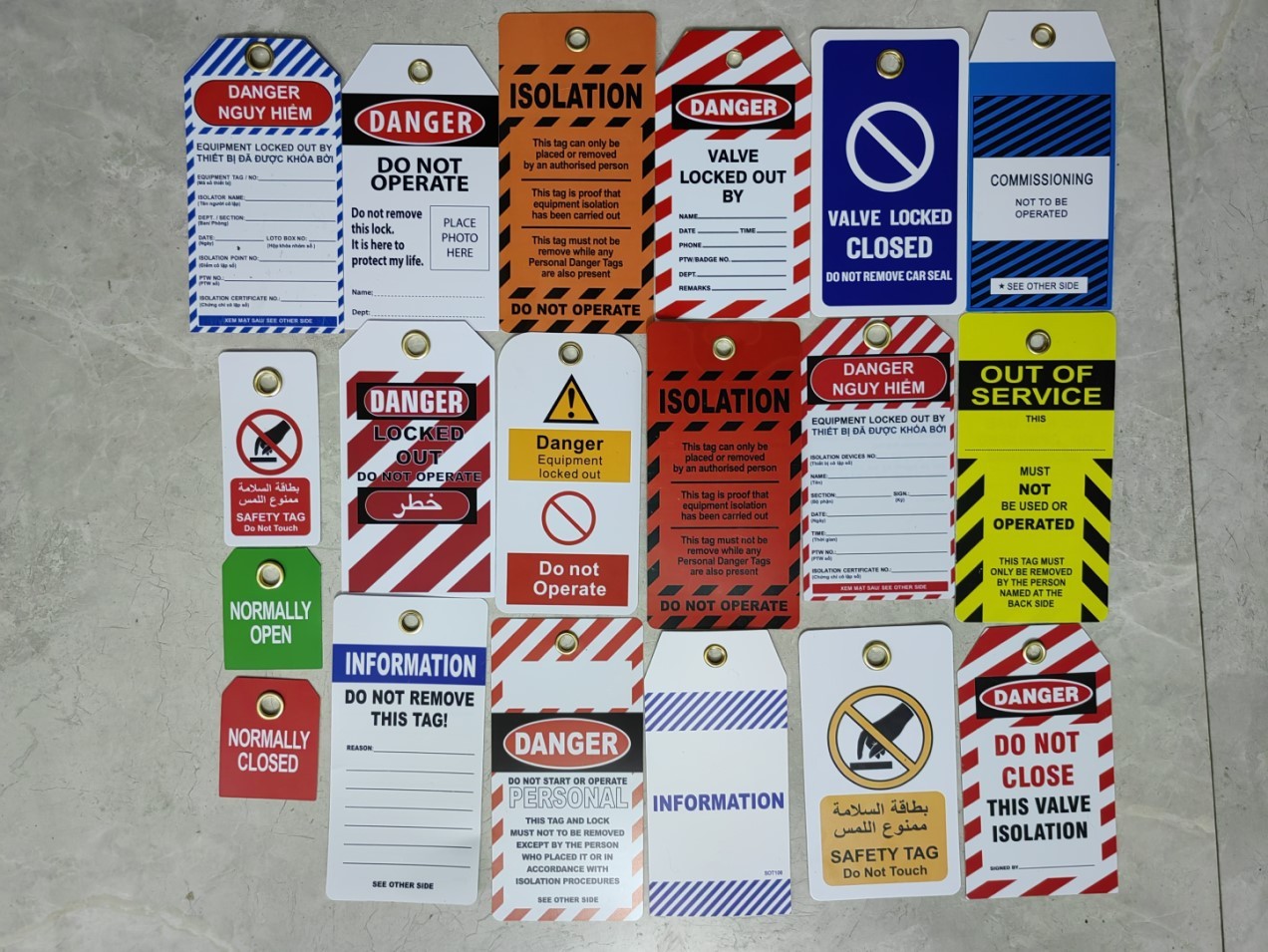
Every time a machine is serviced, someone’s safety hinges on a simple piece of paper. Not the lock. Not the tag. The documentation. Because when the unexpected happens—a miscommunication, a rushed shift change, a forgotten energy source—it’s the lockout tagout documentation form that becomes the first line of defense.
OSHA doesn’t just require locks and tags. It demands proof. Proof that energy sources were isolated, verified, and communicated. That’s where the LOTO documentation form comes in: not as a bureaucracy, but as a liability shield, a compliance record, and a lifeline.
Here’s what you need to know to build, use, and maintain documentation that actually protects your team.
Why Documentation Is the Core of LOTO Compliance
Lockout tagout procedures often focus on hardware—the locks, hasps, and tags. But documentation is where human accountability meets regulatory standards. Without it, even a perfectly executed shutdown can be deemed non-compliant.
OSHA’s 29 CFR 1910.147(c)(4)(i) mandates that each authorized employee verify the de-energization of equipment and document it. This isn’t optional. It’s the legal record that confirms: - Which machine was locked out - What energy sources were controlled - Who performed the lockout - When it started and ended - Whether testing occurred
Without this, an audit can fail in seconds. Worse, in a near-miss or injury, the absence of documentation shifts liability squarely onto the employer.
Real-world example: A maintenance technician in Ohio was injured when a conveyor restarted during servicing. The investigation found the lock was still in place—but no documentation existed to confirm zero-energy verification. The company was fined over $90,000 for incomplete LOTO procedures.
Documentation isn’t paperwork. It’s evidence.
What Belongs on a Lockout Tagout Form
A good LOTO form isn’t a blank checklist. It’s engineered for clarity, consistency, and legal defensibility. Here’s the non-negotiable anatomy:
Machine & Location
- Equipment name and ID number
- Exact location (floor, line, zone)
- Department or owner
Why it matters: In a plant with 50 identical pumps, vague references create confusion. Specificity prevents wrong-unit servicing.
Energy Sources Controlled List every type isolated:
- Electrical (voltage level)
- Hydraulic
- Pneumatic
- Mechanical (springs, gravity)
- Chemical
- Thermal
Each should include: - Disconnect method (breaker, valve, bleed) - Lock number or tag ID - Verification method (volt meter, pressure gauge)
Common mistake: Writing “electrical off” instead of “3-phase 480V disconnect opened and locked at Panel B3.”
Personnel Involved
- Primary authorized employee (name, ID)
- Additional workers (if group lockout)
- Supervisor approval (signature or initials)
Group lockouts require each worker to apply their own lock—and be documented. One form, multiple entries.
Timeline
- Start time of lockout
- Expected completion
- Actual release time
- Duration of service
Time-stamping prevents “ghost lockouts”—situations where equipment is assumed live but no one recalls releasing it.
Verification & Testing A checkbox isn’t enough. The form must confirm:
- Visual inspection of disconnect
- Test for zero-energy (e.g., “Tested with multimeter, 0V confirmed”)
- Re-energization test (if applicable)
If it wasn’t written down, OSHA assumes it wasn’t done.
Common Errors That Invalidate LOTO Documentation
Even small oversights can make a form useless during an audit. These are the most frequent—and fixable—mistakes:
Incomplete Signatures Leaving the supervisor or technician field blank is the #1 error in LOTO audits. Signatures confirm participation and awareness. No signature? No accountability.
Vague Energy Descriptions “Turned off main power” is insufficient. “Opened 480V breaker #4B, verified 0V with Fluke 87V” meets standards.
Missing Verification Proof A form that says “energy isolated” but lacks a test result fails OSHA’s performance requirements. The technician must prove the absence of energy.
Late or Retroactive Filling Filling out the form after the lock is removed violates procedure. Documentation must be real-time. Delayed entries suggest fabrication.
One Form for Multiple Machines Each piece of equipment requires its own form—even if serviced simultaneously. Cross-contamination of records invalidates both.
When to Use Digital vs. Paper LOTO Forms
The medium matters. Both paper and digital forms meet OSHA standards—but they serve different environments.
Paper Forms Best for:
- Small facilities with low equipment turnover
- Temporary or mobile repairs
- Backup during system failures
Pros: - No tech dependency - Immediate accessibility - Familiar to all workers
Cons: - Prone to loss or damage - Hard to audit or search - No automated reminders
Digital Forms (Tablet or Mobile App) Best for:
- Large plants with complex maintenance schedules
- Regulated industries (pharma, energy)
- Facilities pursuing Industry 4.0 or EHS integration
Pros: - Auto-timestamps and geolocation - Cloud storage and audit trails - Integration with CMMS or EAM systems - Mandatory fields prevent omissions
Cons: - Requires device availability and training - Battery or connectivity issues - Initial setup cost
Use case: A chemical plant in Texas switched to digital LOTO forms and reduced compliance violations by 70% in one year. By requiring photo verification of lock placement and auto-syncing to their SAP system, they eliminated “paper-only” discrepancies.
For most modern operations, digital is the long-term play. But paper remains valid—if properly controlled.
LOTO Documentation Templates: What Works in Practice
No single template fits all. But the best ones share key traits:
Key Features of Effective Templates
- Clear, logical flow from isolation to release
- Large, legible fields for gloves-on use
- Checkboxes with write-in options (e.g., “Other: ______”)
- Color-coded sections for quick scanning
- Carbon copies or tear-off supervisor copies
Template Example: Machinery Servicing
LOCKOUT TAGOUT DOCUMENTATION Equipment: Conveyor Line 3A (ID: CL3A-2201) Location: North Assembly, Floor 2 Date: ___________ Start Time: ________
Energy Sources Isolated: [ ] Electrical – 480V, Breaker B7 (Lock #LOTO-341) Verification: Multimeter test, 0V confirmed [ ] Pneumatic – Air line shut at Valve V-8 Verification: Pressure gauge at 0 PSI
Performed by: ______________ (Name & ID) Verified by Supervisor: ______________
Re-energization: Time released: ________ Final test run: [ ] Yes [ ] No Notes: _________________________________________
This isn’t generic. It’s specific, enforceable, and built for the shop floor.
Integrating LOTO Forms into Daily Operations
A form in a binder isn’t safety. A form in use is.
Workflow Tips
- Pre-job briefing: Review the form before starting. Confirm all energy sources.
- One copy per lockout: Never reuse or skip entries.
- Store centrally: Completed forms go to a master log (digital or physical).
- Audit monthly: Pull 10 random forms. Check for consistency, signatures, verification.
- Train on errors: Use real (redacted) examples in safety meetings.
Supervisor Role Supervisors shouldn’t just sign—they should verify. A quick 15-second check:
- Are all energy sources listed?
- Is verification documented?
- Does the lock match the tag?
This isn’t micromanaging. It’s reinforcing culture.
Top 5 LOTO Documentation Tools & Platforms For teams moving beyond paper, these tools streamline compliance:
| Tool | Best For | Key Features | Limitations |
|---|---|---|---|
| Fiix by Rockwell | CMMS integration | LOTO workflows in maintenance tickets, mobile forms | Higher cost, steep learning curve |
| iAuditor (SafetyCulture) | Mobile inspections | Custom LOTO templates, photo uploads, cloud sync | Limited automation |
| EHS Insight | Enterprise safety | Full LOTO module, audit trails, reporting | Overkill for small teams |
| LockOut/TagOut Pro (App) | Field techs | Offline forms, checklist logic, PDF export | iOS only |
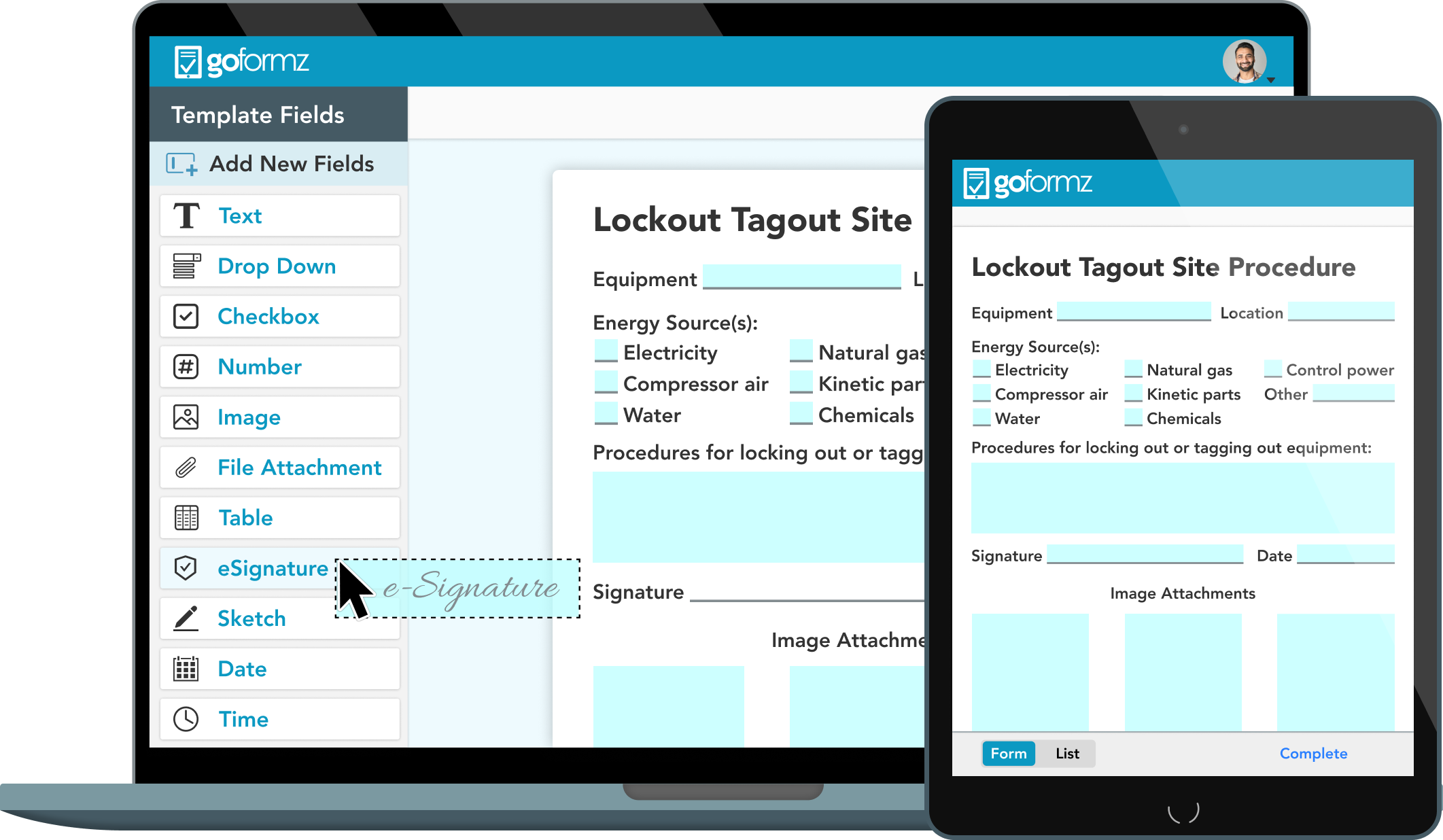
| GoFormz | Custom workflows | Drag-and-drop form builder, real-time sync | Requires template design effort |
Choose based on your operation’s scale—not features. A 20-person shop doesn’t need enterprise EHS software.
Closing: Make Documentation a Safety Reflex
Lockout tagout documentation isn’t red tape. It’s a ritual. A moment to pause, confirm, and protect.
The best forms aren’t perfect. They’re used. They’re filled out in grease-stained gloves, under poor lighting, by tired workers—and they still hold up.
Audit them. Improve them. Train on them.
Because when the question is “Who locked it out?” or “Was it verified?”, the answer shouldn’t be a guess. It should be on the form.
FAQs
What is a lockout tagout documentation form? A formal record used to document the isolation of energy sources during equipment maintenance, including who locked it, when, and how verification was performed.
Is a LOTO form required by OSHA? Yes. OSHA 29 CFR 1910.147(c)(4)(i) requires written documentation of each energy control procedure, including verification of de-energization.
Can digital forms replace paper LOTO documentation? Yes, as long as they are secure, tamper-proof, and include all required elements like signatures and timestamps.
Who fills out the LOTO documentation form? The authorized employee performing the lockout is responsible for completing the form, with verification from a supervisor if required.
How long should LOTO forms be kept? OSHA requires documentation to be retained for at least one year, though many companies keep them for 3–5 years for audit and liability purposes.
Can one form cover multiple machines? No. Each machine or energy source requires its own documented lockout procedure to ensure clarity and safety.
What happens if the form is incomplete? An incomplete form may be treated as non-compliance during an audit and can increase liability in the event of an incident.
FAQ
What should you look for in Lockout Tagout Documentation Form Essentials? Focus on relevance, practical value, and how well the solution matches real user intent.
Is Lockout Tagout Documentation Form Essentials suitable for beginners? That depends on the workflow, but a clear step-by-step approach usually makes it easier to start.
How do you compare options around Lockout Tagout Documentation Form Essentials? Compare features, trust signals, limitations, pricing, and ease of implementation.
What mistakes should you avoid? Avoid generic choices, weak validation, and decisions based only on marketing claims.
What is the next best step? Shortlist the most relevant options, validate them quickly, and refine from real-world results.